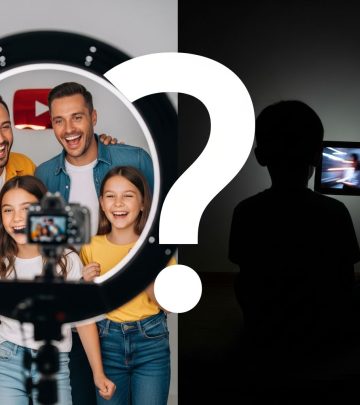
What Parents Need to Know About TikTok Alternatives for Kids and Teens
A comprehensive guide for parents on safe, creative, and age-appropriate alternatives to TikTok for children and teenagers.

What Parents Should Know About TikTok Alternatives
With TikTok remaining one of the most popular social apps globally, many parents are asking: Are there safer, more age-appropriate social video options for children and teens? As younger users flock to social video platforms, concerns over privacy, content moderation, and screen time have led to a surge in demand for family-friendly alternatives. This guide provides parents with a thorough look into the most prominent TikTok alternatives for kids and teens, tips for evaluating platforms, and answers to top safety questions.
Why Look for TikTok Alternatives?
TikTok is a leader in short-form video sharing, but its algorithm, user base, and loose content controls have raised concerns about safety and suitability for minors. Parents cite issues such as:
- Exposure to inappropriate or mature content
- Weak age verification, allowing under-13s to register
- Online bullying and harassment risks
- Unfiltered messaging and friend requests from strangers
- Pressure from trends and challenges
- Potential for compulsive scrolling and unhealthy screen time
For many, finding an app that balances creative expression with robust safety features is critical.
Main Criteria for Kid-Friendly Social Video Apps
When considering TikTok alternatives for your child or teen, pay attention to these criteria:
- Content Moderation: Does the app use human or AI moderation?
- Parental Controls: Can parents oversee activity, set limits, or approve contacts?
- Privacy Protections: Are accounts set as private by default, limiting who can view or contact your child?
- Age Verification: How well does the platform verify users’ ages?
- User Community: Is the app tailored to kids, teens, or all ages?
- In-App Messaging: Is there a way to block DMs from strangers or turn off messaging entirely?
- Focus of the Platform: Is the emphasis on collaboration, creativity, learning, or entertainment?
Top TikTok Alternatives For Kids and Teens
Here’s an in-depth look at the leading TikTok-style apps parents might consider, including safety features and unique app cultures:
Zigazoo
Zigazoo is widely lauded as the safest TikTok alternative for children—from preschoolers to teens. Built around challenge-response videos, it offers two separate experiences: Zigazoo Kids (ages 3–12) and Zigazoo (for teens 13–20).
- Zero Text Comments: No option for text-based bullying. Users reply with video only.
- Challenge-Based Prompts: Children answer fun or educational challenges instead of browsing endless feeds.
- Strict Moderation: 100% human review and strong parental consent/verification before access.
- Private Groups: Families, teachers, or organizations can create closed groups for safe community building.
- Safe for Classrooms: Frequently used in educational settings to foster creativity and positive interaction.
Best for: Kids and younger teens seeking a positive, monitored video community; educators and brands focused on creating safe digital spaces.
Coverstar
Designed explicitly for ages 9–16, Coverstar prioritizes safety and creativity over algorithmic scrolling. Its features include:
- COPPA-compliance: Built to adhere to the Children’s Online Privacy Protection Act.
- AI and Human Moderation: Every video, comment, and live stream is instantly screened, drastically reducing cyberbullying or inappropriate content.
- No Open DMs: Children can’t receive unsolicited direct messages.
- Positive Community: Live streaming is restricted to top vetted creators, making participation feel safe and exclusive.
The app has received positive ratings from online youth safety organizations and parents appreciative of its less toxic, non-addictive design.
Marco Polo
Marco Polo isn’t a direct TikTok clone but instead offers video chat with a turn-taking format. Key features:
- Message-Only With Known Contacts: Ideal for sharing video messages with real-life friends and family, not a broadcast app.
- Strong Privacy Controls: Video chats stay private, and group interactions can be tightly managed.
- Designed for Ages 13 and Up: Robust in limiting unsolicited contact and keeping conversations among familiar people.
Perfect for teens who want video communication without the exposure of public feeds.
YouTube Shorts
YouTube Shorts offers tools to make and view 60-second videos, but its enormous global user base means less direct moderation and higher parental involvement is needed. Consider:
- Users can watch without a YouTube account, but posting requires a profile.
- Parental control options exist, including YouTube Kids for the youngest viewers.
- Content covers all age groups—watch for explicit, mature themes.
Instagram Reels
Instagram Reels allows creation of 15–60 second looping videos, sharing them either privately to friends or publicly. Keep in mind:
- Focused on creativity but includes public commenting and messaging unless privacy is set tightly.
- Owned by Meta; parental controls developing but still require careful management.
- Challenging for young teens to avoid mature or trending topics.
Triller
Triller is commonly featured on TikTok alternative lists but is not recommended for children and younger teens:
- Lacks age verification and robust parental controls.
- Exposes users to public video streams and messages.
- More suitable for adults or 16+ at a minimum.
Summary Table: Leading TikTok Alternatives
| App | Recommended Age | Safety Features | Parental Controls | Best For |
|---|---|---|---|---|
| Zigazoo | 3-20 (separate versions) | Human moderation, video-only replies | Parental consent, private groups | Kids, teens, educators |
| Coverstar | 9–16 | AI and human moderation, no DMs | Strict registration, vetted creators | Creative pre-teens, tweens |
| Marco Polo | 13+ | Private chats only | Contact approval, invite-only | Group chat among friends |
| YouTube Shorts | 13+ (with sub-options) | Account controls possible | YouTube Kids, Restricted Mode | Ages 13+, public content browsers |
| Instagram Reels | 13+ | Account privacy, direct messaging controls | Manual parental management | Older teens, creative expression |
| Triller | 16+ recommended | Minimal | None significant | Young adults, advanced creators |
Safety Tips for Parents When Choosing Video Apps
- Vet Every App Yourself: Download and test drive each app before your child uses it.
- Set Up Accounts Together: This helps enforce correct ages and understand built-in controls.
- Use Parental Consent Where Available: Many apps will require your input for underage users—don’t skip these steps!
- Discuss Digital Behavior Regularly: Talk about bullying, privacy, and what to do if they see or receive something inappropriate.
- Monitor and Adjust Settings: Review privacy settings and permissible contacts at least monthly.
- Encourage Creativity Over Comparison: Choose apps focused more on collaboration and learning rather than follower counts or trending challenges.
Frequently Asked Questions (FAQs)
Are TikTok alternatives completely safe for children?
No app is completely risk-free, but options like Zigazoo and Coverstar deploy much stronger moderation, privacy, and age controls than TikTok, making them the safest available choices for younger users. Parent involvement remains crucial, regardless of the app.
What is the safest alternative to TikTok for kids under 13?
Zigazoo Kids is specifically designed for ages 3–12, featuring strict parental consent, zero text comments, and rigorous human moderation. Coverstar is also highly regarded for tweens and younger teens due to its advanced content screening and creative focus.
Can my child still find inappropriate content on these apps?
While no moderation is flawless, apps like Zigazoo and Coverstar offer robust review processes. YouTube Shorts and Instagram Reels, however, are far broader platforms and may expose children to mature or trending topics. Constant vigilance and privacy settings are essential.
Do these alternatives have in-app purchases?
Some, like Zigazoo, offer in-app purchases or additional content, but all purchases should require explicit parental approval.
At what age is it okay for my child to have a public video account?
Experts recommend waiting until at least age 13, when children have better judgment and digital resilience. Even then, it’s wise to start with apps focused on privacy and creativity—like Zigazoo or Coverstar—and gradually increase freedom as your child matures.
Can parental control apps help monitor activity?
Yes, third-party parental control apps like BrightCanary can provide insights into your child’s online activity, emotional well-being, and screen time across multiple video apps, offering extra peace of mind.
Practical Steps for Parents
- Stay up-to-date with the latest youth app trends and safety guidelines.
- Check ratings and parent reviews for apps before allowing installations.
- Involve children in setting boundaries and privacy expectations.
- Remind children to report any suspicious or uncomfortable encounters immediately.
- Encourage your child to balance online creativity with offline hobbies and real-world socialization.
Key Takeaways
- Safe alternatives to TikTok do exist, with Zigazoo and Coverstar setting the standard for moderation and kid-centric design.
- Parental controls and involvement are necessary for minimizing risks on any platform.
- Not every high-profile alternative is suitable for kids; avoid apps lacking strong privacy and age management tools.
Related Resources
- Guide to Social Media Safety for Kids and Teens
- Latest Reviews of Family-Friendly Apps
- How to Talk to Your Kids About Online Risk
- Setting Up Parental Controls: Step-by-Step Instructions