The Ultimate Guide: Potluck Sign-Up Sheets That Work
Transform your next gathering with a seamless, organized potluck sign-up system—covering planning, categories, communication, and more.

The Ultimate Potluck Sign-Up Sheet Guide for Smooth, Fun Gatherings
Potlucks are one of the most enjoyable and communal ways to gather with friends, family, or colleagues. The magic of these events lies in their casual spirit—and the shared responsibility for the meal. However, without proper organization, a potluck can quickly tip from delightful to chaotic. An effective sign-up sheet is the secret to ensuring variety, accommodating preferences, and minimizing stress for everyone involved.
Why a Potluck Sign-Up Sheet Is Essential
Successful potlucks don’t just happen by accident. Even with the best intentions, it’s easy to end up with four potato salads and no dessert. That’s where a potluck sign-up sheet comes in. It streamlines planning, ensures a well-rounded menu, and keeps everyone on the same page from the start.
What Makes a Great Potluck Sign-Up Sheet?
An effective sign-up sheet helps you organize contributions, manage dietary needs, avoid repetition, and make the day effortless for both hosts and guests. Here’s what your template should cover:
- Clear food categories: Appetizers, mains, sides, desserts, and beverages should all be explicitly listed.
- Assigned slots or suggested quantities: Prevents overlaps and shortages.
- Space for dietary notes: Helps guests identify allergies or restrictions—think vegan, gluten-free, or nut-free.
- Flexible sections for supplies and non-food items: Someone needs to bring plates, cutlery, and napkins!
- Guest information and contact section: For quick coordination or reminder messages.
How to Set Up an Organized Potluck Sign-Up
To throw a memorable and worry-free potluck, plan strategically. Follow these simple steps:
- Choose your sign-up method:
- Online templates (like Google Sheets or dedicated apps) are accessible and update in real-time.
- Printable sheets are handy for in-person groups or smaller circles.
- Start with the foundation:
- List all meal categories (appetizers, mains, sides, salads, desserts, drinks, supplies).
- Establish the number of slots for each to balance the offerings.
- Leave room for notes:
- Allow each guest to specify exactly what they’re bringing, ingredients (for allergies), or whether items need chilling, heating, or serving equipment.
- Share and communicate:
- Distribute the sign-up link or form through email, group chat, social media, or in-person.
- Set event reminders and follow up for unfilled categories.
- Update and confirm:
- Monitor sign-ups and keep everyone informed about what’s still needed.
Sample Potluck Sign-Up Sheet Structure
| Category | What To Bring | Your Name | Notes |
|---|---|---|---|
| Appetizer | (Example: Veggie tray, dip) | List allergens or dietary info | |
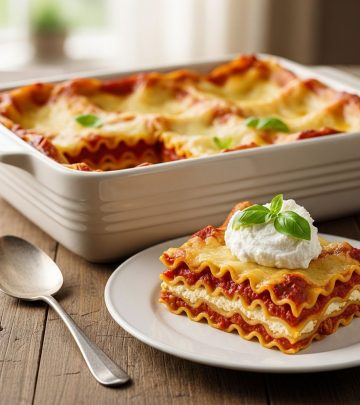
| Main Dish | (Example: Lasagna, roast chicken) | Needs oven? Crockpot? Serving spoon? | |
| Side/Salad | (Example: Potato salad, green salad) | Vegetarian? Vegan? | |
| Dessert | (Example: Brownies, fruit tart) | Nut-free or gluten-free? | |
| Beverage | (Example: Lemonade, soda, wine) | Indicate if bringing alcohol | |
| Supplies | (Plates, cups, ice, napkins) | How many are you bringing? |
Tips for Perfect Potluck Planning
- Balance is everything: Make sure you have a range of dishes across all categories.
- Accommodate dietary restrictions: Ask guests to use the notes section for ingredients or alerting others to allergens.
- Include non-food contributors: Assign roles for setup, decorations, or clean-up.
- Communicate early and often: Send out the sheet as soon as the event is announced. Remind guests a few days before.
- Be clear about logistics: Specify arrival times, whether kitchen appliances are available, or if anything needs on-site assembly.
Choosing the Right Sign-Up Sheet Format: Digital vs. Paper
Both digital and printable sheets can work, depending on your crowd:
- Digital sign-up sheets: Great for larger, tech-savvy groups. They’re easily updated and visible to all.
- Printable sheets: Perfect for offices, church groups, or when technology is less accessible.
Creative Potluck Themes to Inspire Your Event
A theme can make coordination—and menu planning—much easier. Try one of these ideas to bring your potluck to life:
- International night: Each guest brings a dish from a different country or region.
- Seasonal flavors: Build your menu around fresh, in-season ingredients.
- Comfort foods: Ask guests to share a dish that feels nostalgic or family-inspired.
- Brunch potluck: Focuses on breakfast casseroles, pastries, and coffee drinks.
- Holiday classics: Themed around Thanksgiving, Christmas, Fourth of July, etc.
Managing Dietary Restrictions and Preferences
One of the biggest challenges in group dining is ensuring that everyone’s needs are respected. Here are some best practices:
- Encourage guests to list ingredients and allergens alongside their dish.
- Offer spaces on the sheet dedicated to vegetarian, vegan, or gluten-free items.
- Keep a few backup options (like fruit trays or simple salads) for last-minute dietary surprises.
Final Reminders for Stress-Free Potlucks
- Monitor sign-ups and fill gaps as the event approaches.
- Send out automated (or personal) reminders about contributions.
- Encourage guests to bring printed recipes or cards if there are special prep instructions.
- Prepare extra utensils, serving spoons, and containers for leftovers.
Potluck Sign-Up Sheet Template (Copy & Customize!)
Here’s a ready-made layout you can adapt for your next event:
| Dish Type | Details | Who’s Bringing? | Dietary Info / Notes |
|---|---|---|---|
| Appetizer | |||
| Main Dish | |||
| Side/Salad | |||
| Dessert | |||
| Beverage | |||
| Supplies |
Feel free to print this structure or create your digital version for instant sharing and sign-up tracking.
Potluck Planning FAQs
How far in advance should I send out my potluck sign-up sheet?
Aim to share the sign-up sheet at least two to three weeks before your event, allowing guests ample time to plan and sign up.
What if too many people want to bring the same type of dish?
Limit the number of slots for each category, and gently encourage guests to branch out. If overlap happens, suggest swaps in private messages.
How can I handle last-minute changes or cancellations?
Monitor your sign-up sheet and have a few backup options prepared. Communicate with your group if key dishes need to be reassigned.
Should I assign dishes or let people choose?
Letting guests choose their contributions encourages excitement, but it’s fine to assign dishes if your group prefers structure or if you have crucial categories to fill.
What are the best tools for digital potluck sheets?
Popular choices include Google Sheets, Cheddar Up, or specific event coordination apps. Choose a platform that’s accessible and easy for your whole group.
Key Takeaways for Hosts and Potluck Organizers
Hosts and organizers carry the responsibility of setting the tone for a seamless event. Remember:
- Be proactive. Start your planning early and anticipate common issues like dish overlap or forgotten items.
- Stay flexible. Adapt as your group’s needs shift, and keep backup plans in your back pocket.
- Celebrate all contributions. Potlucks are about community, so every dish and role matters, big or small.
Frequently Asked Questions (FAQs)
Q: Can I use a potluck sign-up sheet for office parties or school events?
A: Absolutely. The format works for any group gathering, large or small. It’s especially helpful in formal or semi-formal settings where clarity is essential.
Q: What should I do if my group needs more gluten-free/vegan options?
A: Create dedicated slots for dietary needs and encourage guests to sign up specifically for those dishes, or prepare a few yourself as the host.
Q: How can I keep track of who’s bringing supplies versus food?
A: Include a separate Supplies section in your sheet, with clear roles listed (plates, napkins, drinks, ice, etc.). Distinguishing food from supplies prevents last-minute scrambling.
Q: Do I need to remind people, or will they remember their commitments?
A: Send at least one reminder. Many digital sign-up tools offer automated reminders, but a personal message a few days before keeps everyone engaged.
Ready to Plan Your Next Potluck?
With a thoughtfully crafted sign-up sheet and a few organizational tools, you can plan a potluck that’s enjoyable, relaxed, and memorable for everyone involved. Happy hosting—and happy eating!